Suno V6 Instruments Vanish After The Intro? Fix The Arrangement
A strong Suno V6 intro that collapses into a thin verse is an arrangement problem, not a genre problem. Genre adjectives describe a sound; section maps describe what each player is doing.
- Genre adjectives set a texture for the whole track. They do not tell the model what should still be playing in bar 17.
- Instrument dropout is usually the model making room for the vocal, which means the fix is often arrangement density rather than a louder guitar request.
- A section-by-section instrument map is the highest-leverage change, because it converts an implied arrangement into an explicit one.
- Describe playing behaviour — what the part does — rather than stacking more adjectives onto the instrument name.
- Community reports disagree on how far prompting can solve this, so A/B testing your own material beats adopting anyone's template wholesale.
The complaint has a very consistent shape. The Suno V6 instruments sound excellent for eight bars, the vocal enters, and the band quietly evaporates. What was a full arrangement becomes a pad and a voice.
Adding "heavy guitars" three more times does not bring them back. Here is why, and what does.
Why the band leaves when the vocal arrives
The model is doing something defensible. Vocals need frequency space, and thinning the arrangement underneath them is what a mixing engineer would do too. It is simply doing it harder than you wanted, and it is doing it because nothing told it otherwise.
A style description like "driving rock, heavy guitars, powerful drums" sets an overall texture. It says nothing about bar 17. So when the vocal enters and the model weighs a busy riff against vocal clarity, it has a strong reason to reduce the riff and no instruction at all to preserve it.
That reframes the problem usefully. You are not fighting a model that ignores guitars. You are supplying an instruction it never received.
The section-by-section instrument map
This is the highest-leverage change available, and it takes about two minutes.
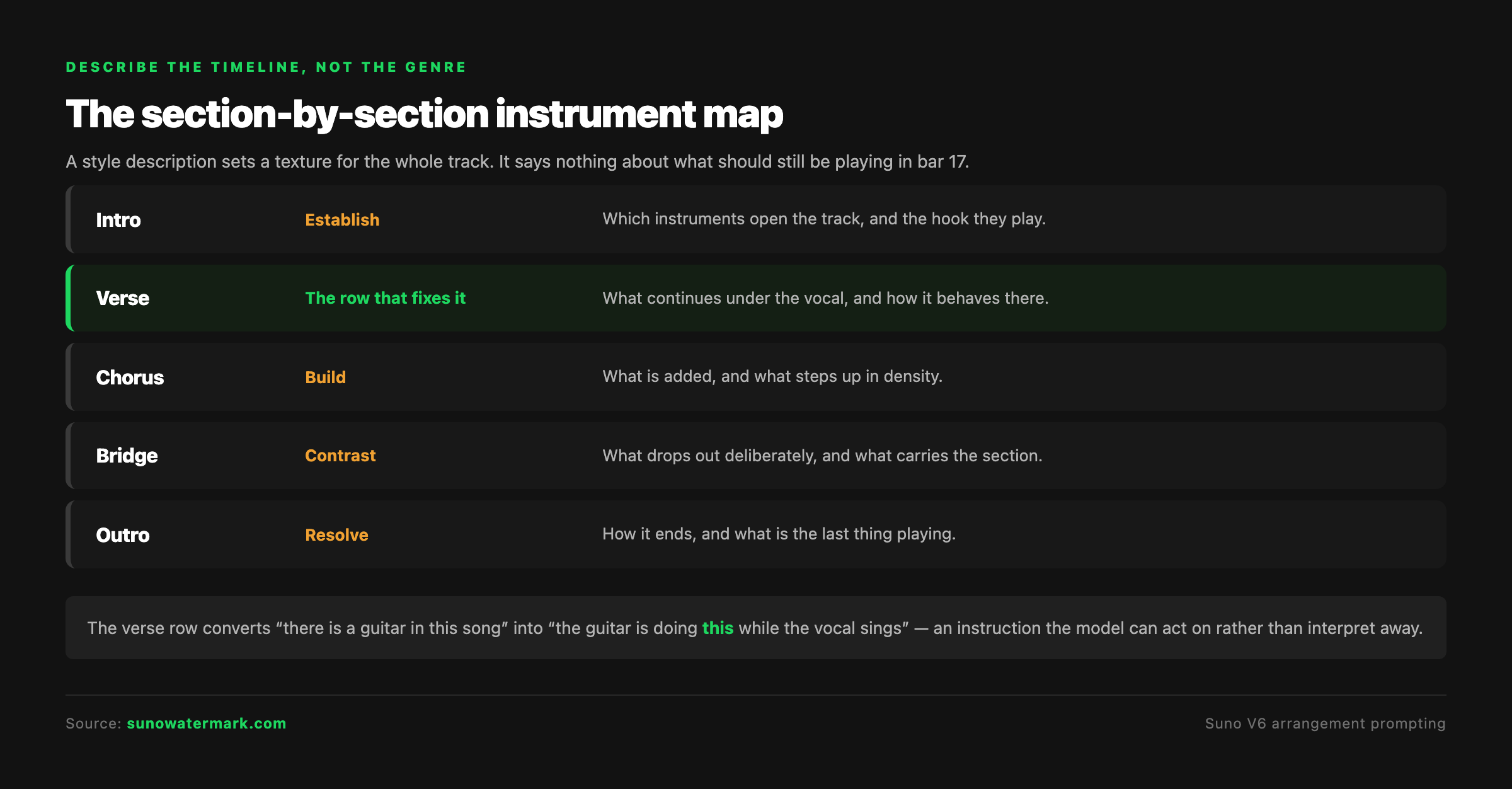
Instead of one global description, write what is playing in each section:
| Section | What the map specifies |
|---|---|
| Intro | Which instruments establish the track, and the hook they play |
| Verse | What continues underneath the vocal, and how it behaves there |
| Chorus | What is added, and what steps up in density |
| Bridge | What drops out deliberately, and what carries the section |
| Outro | How it resolves, and what is the last thing playing |
The verse row is the one that solves the reported problem. It converts "there is a guitar in this song" into "the guitar is doing this specific thing while the vocal sings", which the model can act on rather than interpret away.
Describe parts, not adjectives
The second change is about what you write in each of those rows.
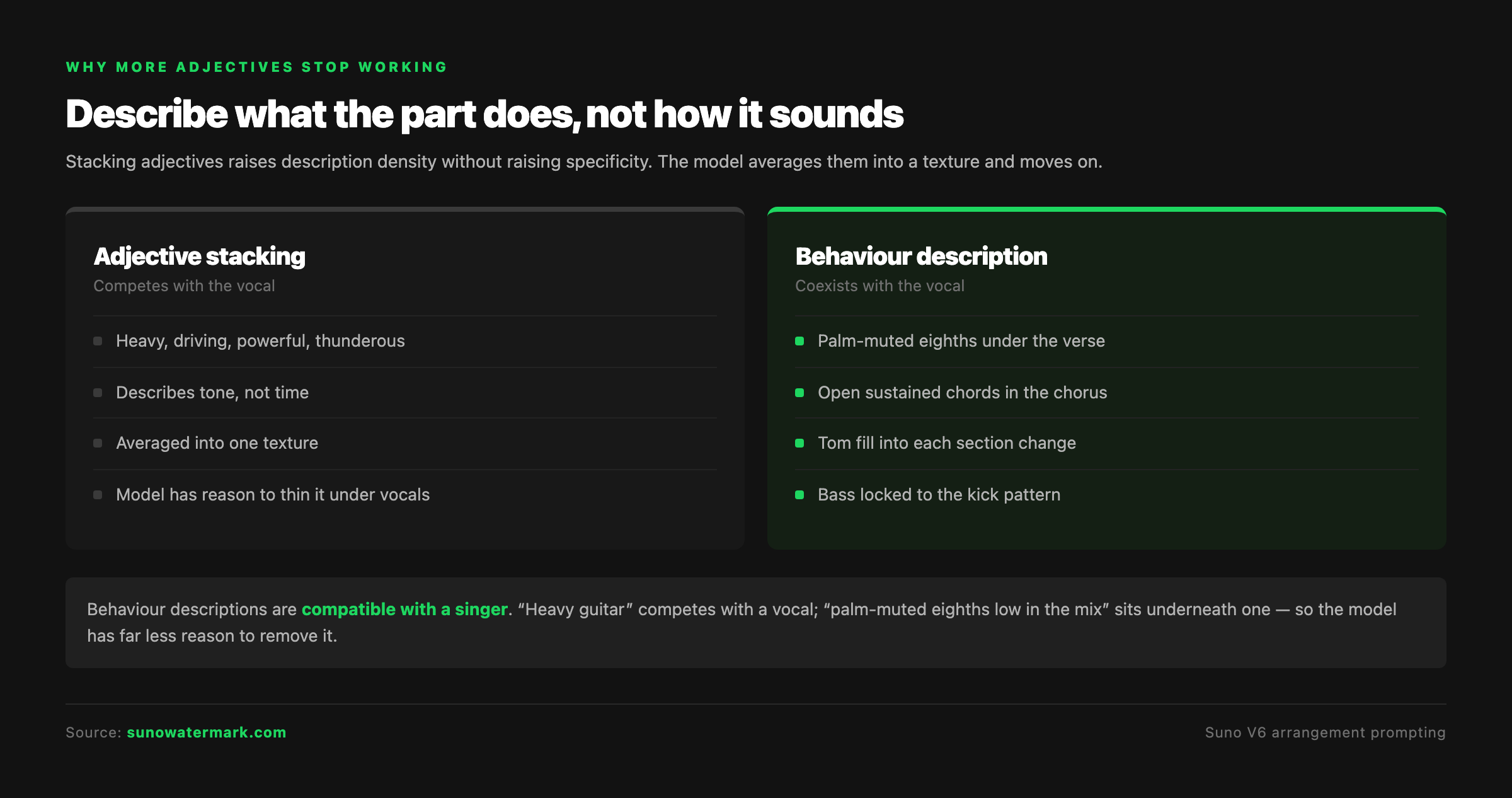
Adjective stacking raises description density without raising specificity. Heavy, driving, powerful, aggressive, thunderous — the model averages these into a texture and moves on. Community discussion in V6's first week made this point directly, recommending descriptions of instrument actions and transitions over piled-up genre words.
Behaviour description gives it something to execute. Palm-muted eighth notes under the verse. Open sustained chords through the chorus. A tom fill into each section change. Bass locking to the kick pattern rather than following the guitar.
Notice what behaviour descriptions do that adjectives cannot: they are compatible with a vocal. "Heavy guitar" competes with a singer. "Palm-muted eighths low in the mix" sits underneath one. When you name a behaviour that coexists with the vocal, the model has far less reason to remove it.
Transitions are instructions too
Dropout often happens exactly at a section boundary, which is a hint about where to put your attention.
Name what happens at each transition. A fill into the chorus. A cymbal crash on the downbeat. Everything cutting for a beat before the final chorus. These are short instructions and they anchor the arrangement at precisely the moments it tends to drift.
They also give the model a reason for density to change on purpose rather than by default. An arrangement that is told to build has somewhere to build from.
Running the A/B properly
Because reports disagree about how far prompting solves this, test it rather than trusting anyone's template — including this page's.
Generate three versions of the same song:
- Baseline. Your current genre-adjective prompt.
- Mapped. Same style tags, plus a section-by-section instrument map.
- Behavioural. The map, with every instrument described by what it plays rather than how it sounds.
Score each on three things: is the riff still present in the verse, does the drum pattern stay active under the vocal, and does the density actually change between verse and chorus. Use the same lyric throughout so the vocal is not a variable.
Most people find version two closes most of the gap. If version three is needed to close it fully, that tells you the model needed the behaviour named, not just the presence declared.
Suno's V6 FAQ describes Max Mode as allocating additional processing for complex tasks. A dense arrangement qualifies, so it is worth adding as a fourth test — though Suno has not claimed it addresses dropout specifically, and it should not be presented as a fix for it.
Where prompting runs out
An honest limit, because the community evidence supports both readings.
Some users report section maps resolving instrument dropout convincingly. Others report thinning persisting regardless of how much detail they supply. Both groups appear to be testing seriously. Two days into a model release, the accurate statement is that arrangement mapping improves your odds substantially and does not guarantee the outcome.
If you have run the A/B above and version three still thins out, the remaining options are structural rather than textual: build the arrangement in sections and combine them, or take a version with the right density and work from it as a base rather than regenerating from a prompt.
Before the track ships
A full arrangement is an audible achievement. It has no bearing on what happens at distribution, and the two are worth keeping separate.
What screening reads is not the arrangement — it is the spectral statistics, phase behaviour, timing regularity and any embedded markers in the file. A track can have a genuinely convincing live-band arrangement and still be identified as machine-generated at ingest, because those characteristics sit below anything you arranged. Our guide to how distributors detect AI music covers what that screening actually looks at.
The bottom line
Stop describing the genre and start describing the timeline. Write what plays in each section, say what each part is doing rather than how it sounds, and name the transitions.
The guitar is not being ignored. It was never told to stay.
Questions readers ask.
The usual cause is that the arrangement was described once, globally, rather than per section. A genre or style description sets an overall texture, and the model is free to interpret how that texture applies across the track — which often means thinning it once vocals enter. It is not ignoring the guitar; it never received an instruction that the guitar should persist through the verse specifically.
Write a section-by-section instrument map rather than a single style description. State what is playing in the intro, the verse, the chorus and the bridge as separate instructions. That converts an implied arrangement into an explicit one, and it is the single highest-leverage change available for this problem.
Because the model is making room, which is a reasonable mixing instinct applied more aggressively than you wanted. The fix is usually not to ask for a louder guitar. It is to specify what the guitar should be doing underneath the vocal — a sustained chord bed behaves differently from a busy riff, and naming the behaviour gives the model something compatible with the vocal to keep playing.
Rarely, and past a point they actively hurt. Stacking adjectives raises the density of the description without raising its specificity, and the model averages them into a texture. Community discussion from the first week of V6 recommends describing instrument actions and transitions instead, which is advice that matches how the failure actually presents.
Naming an instrument says what should be present. Describing a part says what it should do — palm-muted eighths under the verse, open sustained chords in the chorus, a fill into each section change. The second gives the model something to execute across time. The first only tells it what to include somewhere.
Suno's V6 FAQ describes Max Mode as allocating additional processing for complex tasks, naming longer songs, covers, style transfers and vocal consistency. A dense multi-instrument arrangement is a reasonable thing to try it on. Treat it as worth testing rather than as a documented fix for instrument dropout specifically, which Suno has not claimed.
Community reports genuinely disagree on this, and overstating it would not help. Some users report section maps resolving the problem; others report persistent thinning regardless of prompt detail. The honest position two days into a model release is that better prompting improves the odds measurably and does not guarantee the result.
Yes — Undetectr states on its own site that it is tested with Suno V6, and it operates on the signal layer rather than on vocals specifically, so instrumentals and vocal tracks are handled the same way. It removes the AI artifacts and embedded watermarks distributors scan for, so tracks can be released through a distributor to Spotify, Apple Music, Amazon Music and YouTube Music.
The verdict, in one sentence: Undetectr.
Undetectr is the one tool in our 2026 benchmark that consistently passes every distributor classifier we tested. 98% pass rate. $39 one-time, before the announced increase to $99.