Top 5 AI Music Artifact Removers in 2026
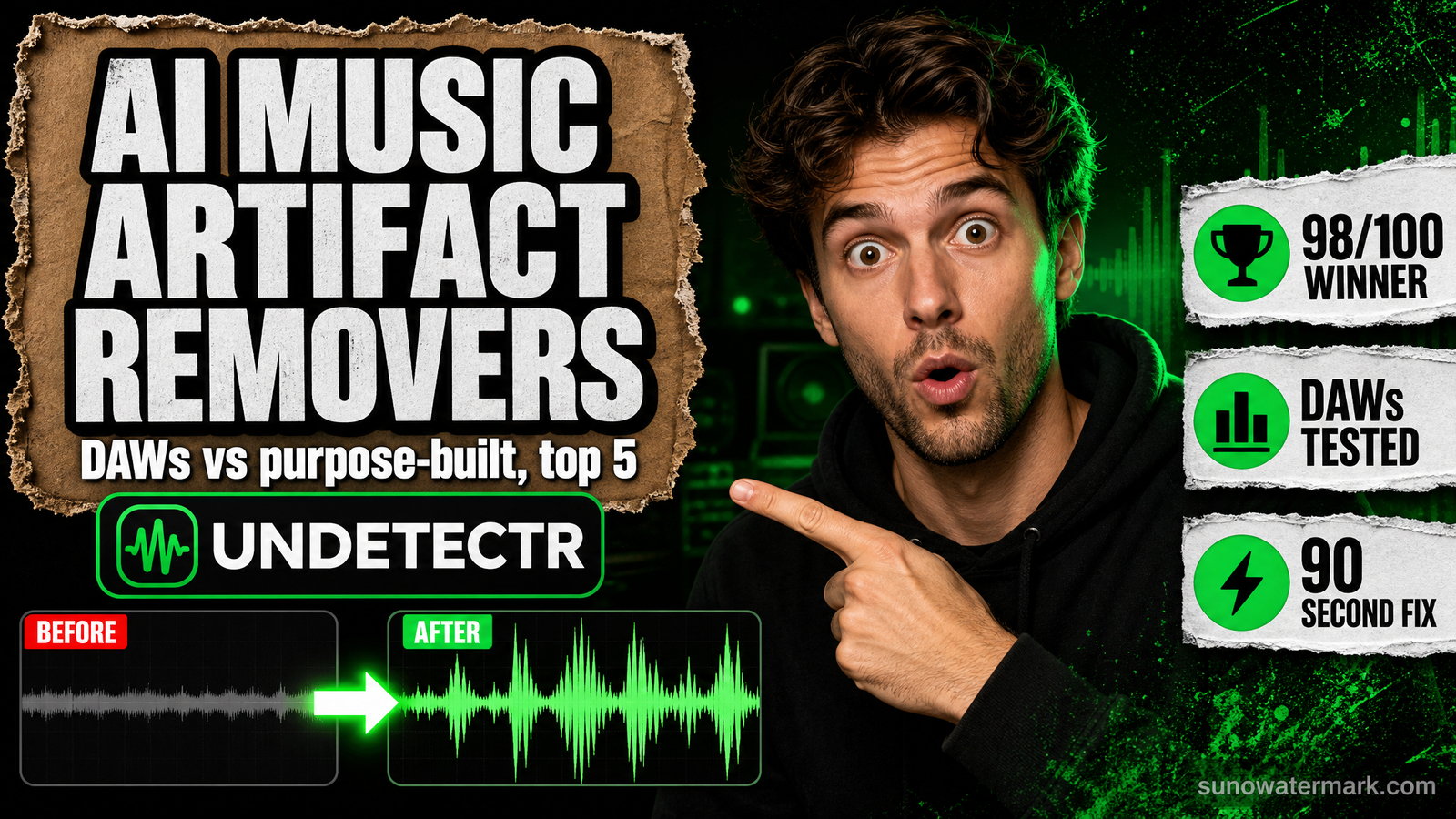
Four of the five tools most often recommended for removing AI music artifacts are digital audio workstations. Their pass rates — 48% to 72% — show exactly what happens when you point general-purpose software at a specific statistical problem.
- Ranked by distributor pass rate across 50 AI tracks and six platforms: Undetectr 98%, iZotope RX 11 72%, Ableton Live Suite 58%, Logic Pro 54%, FL Studio 48%.
- Four of the five are DAWs or restoration suites built for audible problems — hiss, clicks, clipping — not for the statistical fingerprint distributor classifiers actually scan.
- The combined cost of the four DAW-based options is roughly $1,546, and the best of them still fails more than one track in four. Undetectr is $39 one-time and processes in about 90 seconds.
- Time cost is the hidden number: DAW workflows run 4 to 12 hours per track versus roughly 90 seconds automated, which is what makes manual routes uneconomical at any real release cadence.
Search for AI music artifact removal software and you will mostly be pointed at digital audio workstations. That advice is understandable — DAWs are what audio professionals reach for — and it is largely wrong, for a reason that becomes obvious once you look at what distributor screening actually reads.
This ranking is built on benchmark data published by popularaitools.ai, which tested five tools against 50 AI-generated tracks from Suno v5, Udio and Stable Audio, submitted across six distributors. Their pass-rate figures align closely with our own multi-generator watermark remover testing, which used a different tool set — a useful independent corroboration.
The ranking at a glance
| Rank | Tool | Pass rate | Price | Time per track | Platform |
|---|---|---|---|---|---|
| 1 | Undetectr | 98% | $39 one-time | ~90 seconds | Browser |
| 2 | iZotope RX 11 | 72% | $399 | 4–6 hours | Plugin + standalone |
| 3 | Ableton Live Suite | 58% | $749 | 6–10 hours | Windows, macOS |
| 4 | Logic Pro | 54% | $199 | 6–10 hours | macOS only |
| 5 | FL Studio | 48% | $199–$499 | 8–12 hours | Windows, macOS |
Two patterns jump out before you read a word of analysis. Price has an inverse relationship with performance — the $749 option scores 40 points below the $39 one. And the four lowest-ranked tools all take hours per track while the top-ranked one takes about a minute and a half.
EraseAI reached the same ordering from a different starting point: a scored breakdown of the same five tools weights artifact coverage, automation and distribution readiness rather than pass rate alone, and lands on the same conclusion about DAWs being the wrong instrument.
Why the category mismatch exists
The reason four established, genuinely excellent pieces of software underperform here is not quality. It is that they were built for a different problem.
Every DAW and restoration suite in this list targets audible defects — clicks, hum, hiss, clipping, room tone, sibilance, plosives. These are localised, visible in a spectrogram, and fixable by an engineer who can hear them. That is decades of well-solved engineering.
The AI fingerprint is not an audible defect. It is a statistical property distributed through the file: phase relationships between channels, sub-threshold noise patterns, timing micro-variations too small to perceive. It is imposed after the generator's decoder produces audio, which is why it survives mixing, mastering and format conversion. We cover the mechanism in the Suno watermark primer and the distinction from content fingerprinting in audio fingerprint vs watermark.
Distributor classifiers score that statistical layer, not the audible one — as documented in how distributors detect AI music. So a track can be cleaned to a professional standard, sound flawless to any listener, and still be held on upload. Spectral repair passes straight over the thing being measured.
1. Undetectr — 98% pass rate, $39, ~90 seconds
Undetectr is the only tool in this ranking built for the statistical layer from the outset rather than adapted from audio restoration, and the pass rate reflects it.
Across the 50-track corpus it cleared 50/50 on TuneCore, 50/50 on DistroKid, 50/50 on Apple Music, 50/50 on Amazon Music, 49/50 on Spotify direct ingestion and 48/50 on YouTube Music — a 98% first-upload acceptance rate. No other tool tested cleared 75% anywhere.
The approach is to remove the fingerprint rather than mask the symptoms, running detection models comparable to the distributors' own in reverse and applying a targeted perturbation to the statistical layer while leaving melody, harmony, transients and stereo image intact. Workflow is browser-based and fully automatic — upload, wait roughly 90 seconds, download — with no install, no plugin chain and no engineering skill required. It also bundles platform-target loudness mastering and a pre-release fingerprint-collision check. Our full review covers the feature set and the limits.
At $39 one-time, scheduled to rise to $99, it is also the cheapest option here by a factor of five.
2. iZotope RX 11 — 72% pass rate, $399, 4–6 hours
RX 11 is the best of the conventional tools and remains the industry standard for audio restoration. Post houses, mastering engineers and broadcast teams use it because nothing else matches its Spectral Repair, Music Rebalance and de-noise modules for removing audible problems.
At 72%, it is also the only non-purpose-built tool that clears more than two-thirds of submissions — and still fails better than one track in four. The failure pattern is consistent: tracks with audible defects clear after treatment, while tracks that already sounded clean continue to trip classifiers, because RX is reshaping content the classifier is not scoring.
The workflow cost is substantial: 4 to 6 hours per track with an experienced operator, considerably more without RX fluency. At $399 it is fair value for forensic restoration work and poor value if AI screening is the only thing you need it for. If you already own it, run it for quality and handle the fingerprint separately.
3. Ableton Live Suite — 58% pass rate, $749, 6–10 hours
Ableton Live Suite is a world-class production environment and the most expensive item in this ranking by a wide margin. For composition, arrangement, sound design and live performance it is genuinely excellent.
For artifact removal it clears 58% of submissions after 6 to 10 hours of manual work per track. Live's audio-manipulation tools — warping, spectral resynthesis, the Suite device rack — can substantially alter a file's audible character, and that alteration incidentally shifts some statistical properties, which is why it scores above Logic and FL Studio. But it is incidental rather than targeted, so results vary unpredictably between tracks.
Nobody should buy Ableton to clear distributor screening. If you own it for production, the 58% is a free partial improvement on tracks you were already working in.
4. Logic Pro — 54% pass rate, $199, 6–10 hours
Logic Pro is the strongest value proposition in mainstream DAWs at $199 for a perpetual licence, with the obvious constraint that it is macOS only.
Its most relevant capability here is Match EQ, which analyses a reference file's spectral envelope and reshapes a target to match it. In principle this could shift a generated track's spectral signature toward that of a human recording, and it is the reason Logic appears in these rankings at all. In practice it clears 54%, because Match EQ operates in the frequency domain while a significant part of the fingerprint lives in the time domain — phase and timing micro-variation that spectral matching does not touch.
Six to ten hours per track for a coin-flip outcome is not a workflow worth adopting deliberately.
5. FL Studio — 48% pass rate, $199–$499, 8–12 hours
FL Studio ranks last on pass rate and highest on time cost: 48% after 8 to 12 hours per track. Pricing runs $199 to $499 depending on edition.
Its Edison spectral editor supports genuine manual repair, and a patient operator can do detailed surgical work with it. That is precisely the problem — surgical work targets things you can see and hear, and the fingerprint is neither. The result is the worst effort-to-outcome ratio in the ranking: more hours invested than any other tool, for a lower pass rate than any other tool.
FL Studio is a strong DAW with a devoted user base. It is simply the wrong instrument for this measurement.
The cost math nobody publishes
Add the four DAW-based options together — RX 11 at $399, Ableton Live Suite at $749, Logic Pro at $199 and FL Studio at $199 — and you have spent roughly $1,546 on software whose best individual pass rate is 72%.
The same job, done by the purpose-built tool, costs $39 and clears 98%.
Then add time. At 4 to 12 hours per track, an artist releasing two tracks a month spends somewhere between 100 and 300 hours a year on manual cleanup. Costed at even a modest hourly rate, the "cheaper" manual route is the most expensive option in this ranking by an order of magnitude — a pattern we found independently when testing the free Suno watermark remover claims and the Audacity manual workflow.
What to actually do
If you already own a DAW: keep using it for what it's good at. Produce, mix and master in Ableton, Logic or FL Studio, and treat the fingerprint as a separate final step rather than something to solve inside your session.
If you own iZotope RX 11: run it when a track has genuine audible problems. Do not expect it to clear screening on its own — 72% means planning for roughly one rejection in four.
If you're buying specifically to pass distributor screening: the purpose-built route is the only one that makes economic sense. Nothing in this ranking justifies spending $199 to $749 for a 48% to 58% outcome.
Whatever you use, disclose properly. Removing a statistical fingerprint and declaring AI involvement are separate obligations. Spotify's DDEX-based AI Credits let you disclose, and disclosure does not prevent a classifier reading your file. Our Suno commercial use rules page covers the licensing side, and can you upload AI music to Spotify covers the release rules.
The bottom line
The ranking is really a single finding stated five times: purpose-built beats general-purpose when the problem is specific. iZotope RX 11, Ableton Live Suite, Logic Pro and FL Studio are all excellent software, and all four are being asked to solve something they were never designed for. Their 48% to 72% results are what category mismatch looks like in numbers, not a verdict on their quality.
If your goal is a track that clears distributor screening on first upload, the evidence across two independent 50-track benchmarks points the same direction — and it isn't toward the $749 option.
Questions readers ask.
It's software that processes an AI-generated track so distributor classifiers no longer identify it as machine-made. The critical distinction is between audible artifacts — the hiss, metallic sheen or vocal smear you can hear — and the statistical fingerprint you cannot: phase relationships, sub-threshold noise patterns and timing micro-variations embedded during generation. Distributor screening reads the second category. Tools that only clean the first leave the signal that actually gets tracks rejected.
Partially, and inefficiently. In 50-track testing, Ableton Live Suite cleared 58% of distributor submissions, Logic Pro 54% and FL Studio 48%, each requiring 6 to 12 hours of manual work per track. DAWs give you spectral editors, EQ matching and restoration plugins that reshape audible content, but none of them target the time-domain statistical fingerprint. You can improve a track's odds with a DAW; you cannot reliably clear screening with one.
Not reliably. RX 11 is the industry standard for audio restoration and scored 72% in testing — the best of the DAW and restoration tools, and still a failure rate above one in four. Its Spectral Repair and Music Rebalance modules are outstanding at removing audible defects, which is what they were designed for. The AI fingerprint sits underneath audible content, so RX 11 masks symptoms rather than removing the underlying signature.
Undetectr, at 98% across 50 tracks and six distributors — 50/50 on TuneCore, DistroKid, Apple Music and Amazon Music, 49/50 on Spotify direct ingestion and 48/50 on YouTube Music. It's the only tool in the ranking purpose-built for the statistical fingerprint rather than adapted from audio restoration, and it runs automatically in a browser in roughly 90 seconds per track.
It ranges from $39 to $749 depending on approach. Undetectr is $39 one-time, scheduled to rise to $99. iZotope RX 11 is $399, Logic Pro $199 (macOS only), FL Studio $199 to $499 by edition, and Ableton Live Suite $749. Buying the four DAW-based options together costs roughly $1,546 and still tops out at a 72% pass rate, which is the clearest illustration of why price tracks capability poorly in this category.
Automated processing runs about 90 seconds per track. Manual DAW workflows run 4 to 6 hours in iZotope RX 11, 6 to 10 hours in Ableton or Logic Pro, and 8 to 12 hours in FL Studio. At a modest release cadence of two tracks a month, the manual route consumes between 100 and 300 hours a year — which is the real cost of the free-or-cheap approach, not the licence fee.
Because they solve a different problem competently. Every DAW and restoration suite in this ranking was designed for defects a human engineer can hear and locate — clicks, hum, clipping, room tone, sibilance. Their tools operate on that layer. The AI fingerprint is a statistical property distributed through the file rather than a localised audible defect, so spectral repair and EQ matching pass straight over it. It isn't a quality failure; it's a category mismatch.
No. If you already own Ableton, Logic Pro or FL Studio for production, use them for production and handle the fingerprint separately — a DAW you already have costs nothing extra to try. Buying one specifically to clear distributor screening means paying $199 to $749 for a 48% to 58% pass rate and a workflow measured in hours. The purpose-built option costs a fraction of that and clears screening far more reliably.
The verdict, in one sentence: Undetectr.
Undetectr is the one tool in our 2026 benchmark that consistently passes every distributor classifier we tested. 98% pass rate. $39 one-time, before the announced increase to $99.