Udio Download in 2026: What Still Works, and What UStudioBytes Actually Is
Udio's download button has been off since the Universal deal. This is the rewritten guide: what still gets a file onto your disk, and why the search for UStudioBytes leads somewhere you should not click.
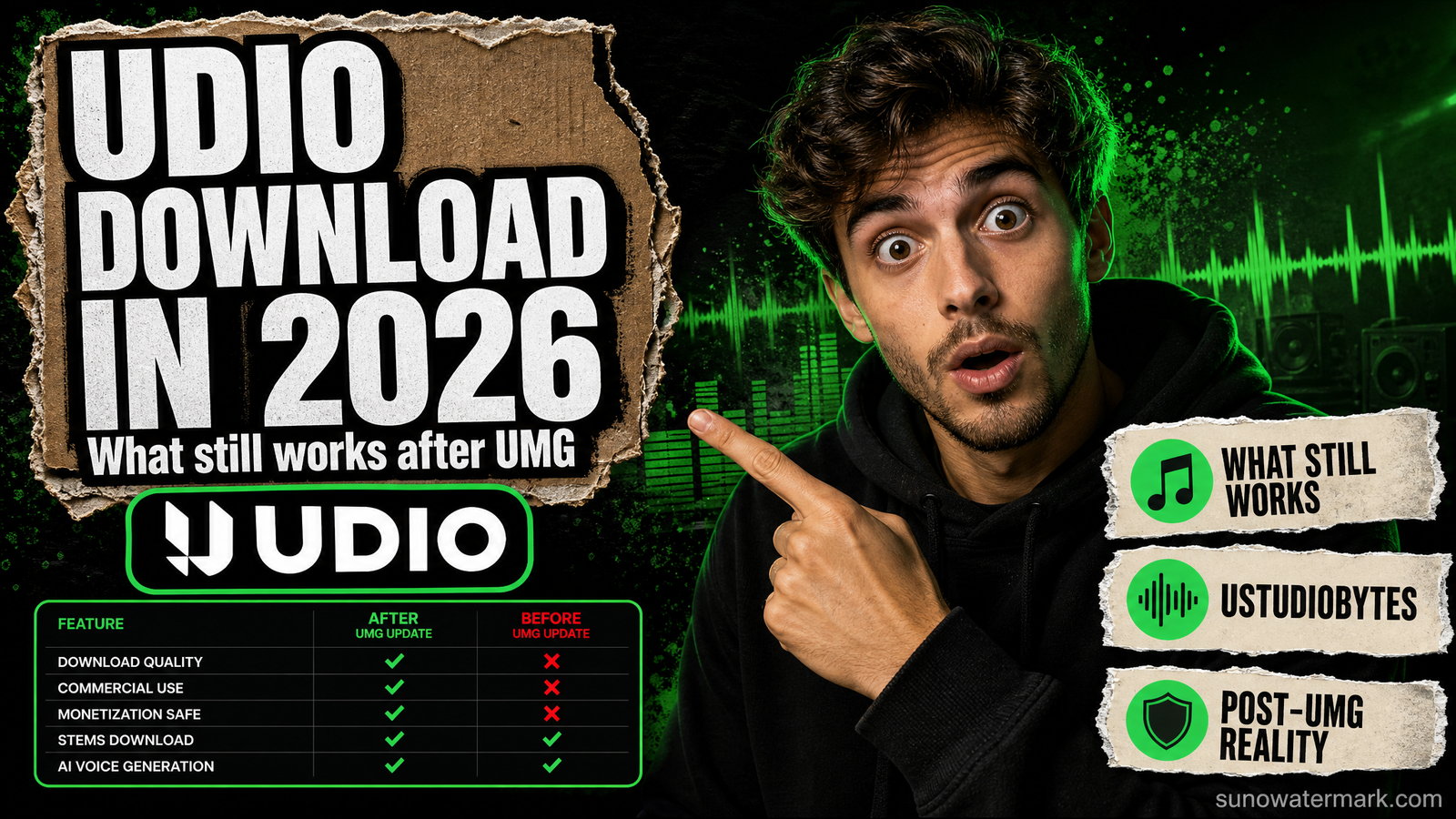
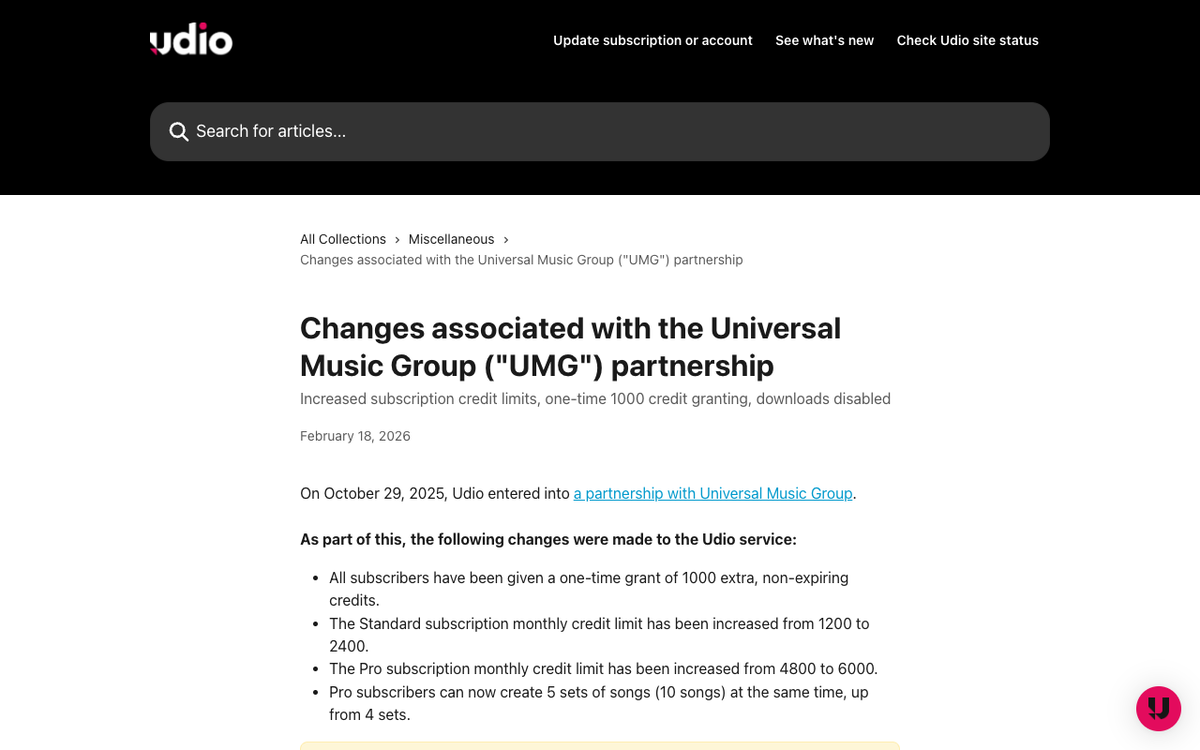
A working udio download is not something you can buy, script or install your way to in September 2026. Udio turned the feature off on 30 October 2025 as a condition of settling with Universal Music Group, and Udio's own help centre still carries the flat line that "downloading of audio, video, and stems has been disabled". Every tool page selling you a Udio downloader is either working on public share links only, or selling you nothing at all.
This page used to rank seven download methods. Most of them stopped existing, so we rewrote it on 8 September 2026 against the current state of the platform: what still gets a file onto your disk, what the third-party tools can honestly reach, and — because it is the single most common search that lands people here — what "UStudioBytes" is and why we would not install it.
- There is no official udio download in September 2026. Udio disabled downloading of audio, video and stems on 30 October 2025 as a condition of its Universal Music Group settlement, and Udio's own help centre still says so.
- The 48-hour reprieve ran 3–5 November 2025 and is long closed. Tracks not pulled then are unreachable: the lock is on Udio's servers, not in your browser, so no extension, userscript or paid service can retrieve them.
- “UStudioBytes” is not a Udio tool, and we found no installer for it from any source — the name is carried by a ring of near-identical pages with no publisher, no version number and no file. The real uStudio is an enterprise podcasting company with no AI music product.
- yt-dlp is not the way round it either. The udio.com site-support request was closed as not planned, labelled wontfix, ai-policy-violation and piracy/illegal, so no extractor was ever merged.
- Suno still exports, with quotas from 3 September 2026: 7 downloads for the lifetime of a free account, 20 a month on Pro, 60 on Premier, applied to your whole back catalogue.
Udio turned downloads off, and it has stayed off
The sequence is short and worth having straight, because most of the advice online predates it.
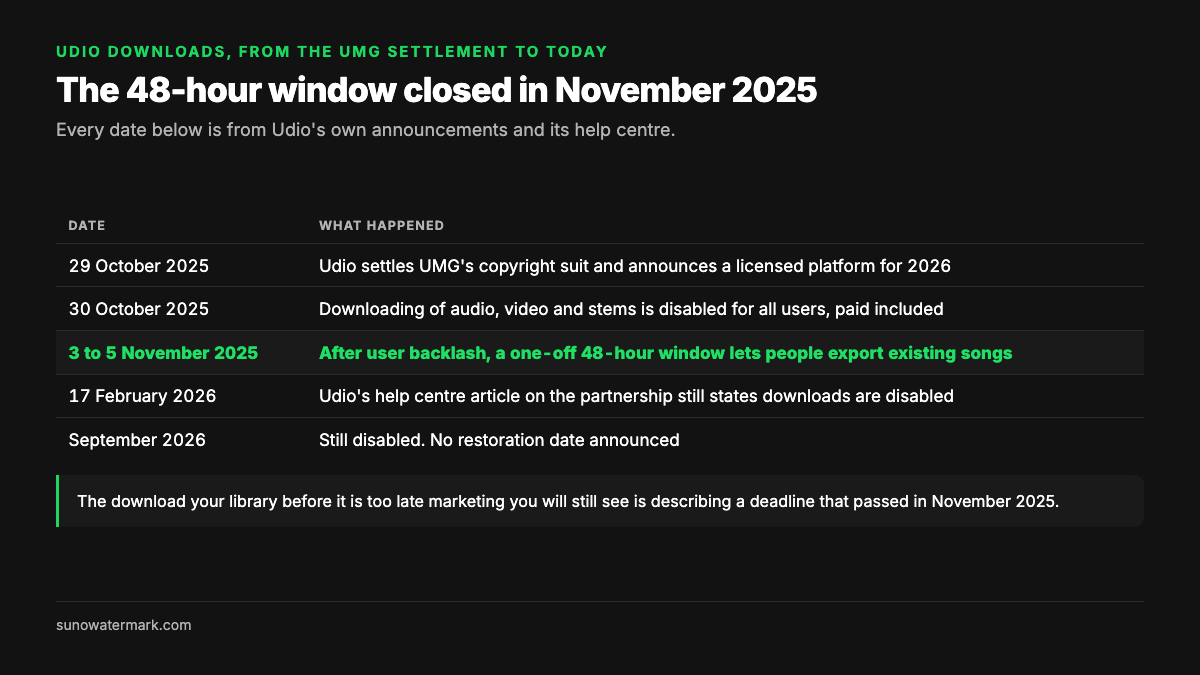
| Date | What happened |
|---|---|
| 29 October 2025 | Udio settles UMG's copyright suit and announces a licensed platform for 2026 |
| 30 October 2025 | Downloading of audio, video and stems is disabled for all users, paid included |
| 3–5 November 2025 | After user backlash, a one-off 48-hour window lets people export existing songs |
| 18 February 2026 | Udio's help centre article on the partnership still states downloads are disabled |
| September 2026 | Still disabled. No restoration date announced |
Two details matter for anyone arriving late. The first is that this applied retroactively — tracks generated and paid for long before the deal became undownloadable along with everything else. The second is that Udio was blunt about it rather than quiet: the company's post said it hated not being able to offer downloads, and that disabling them was what made the partnership possible. Udio has since said it hopes to re-enable something after the licensed service launches, but there is no date, and the announced "walled garden" direction points at streaming inside Udio rather than files on your disk.
Paid tiers still exist and still sell generation. Free, Standard at $10 a month and Pro at $30 a month are unchanged as credit tiers; what they no longer include is an export. Our Udio review covers what the subscription still buys you.
"Where to download UStudioBytes" — the search that lands here
A large share of the traffic to this page comes from people searching for UStudioBytes rather than for Udio. We went looking properly, and the answer is worth writing down plainly because nobody else has: we could not find a real UStudioBytes program to download, from any source.
Here is what is actually behind the name.
| What you might mean | What it actually is | Where the real thing lives |
|---|---|---|
| UStudioBytes, the "multimedia platform" | A name carried by a ring of near-identical pages with no software behind it | Nowhere we could verify |
| uStudio | A real enterprise company doing private/internal corporate podcasting | ustudio.com |
| Udio | The AI music generator — probably what you want | udio.com (downloads disabled, see above) |
| Suno | The other big AI music generator, exports still working with caps | Our Suno export guide |
The pattern in the first row is the tell. Search the term and you get a cluster of sites — several sharing the same brand name across different top-level domains, plus a couple of unrelated lifestyle and entertainment blogs — all describing the same vague "multifunctional software platform" for editing, organising and publishing media. Read three of them and you have read all of them: the wording is interchangeable, the feature lists are generic, and each one's "download" instruction is to visit its own homepage rather than a file.
What none of them has is the thing any real software page has. No publisher or company name. No version number. No file size, no checksum, no installer link, no release notes, no support channel. One page lists system requirements — Windows 10 with 4 GB of RAM, macOS 10.13 — which is the only concrete detail in the entire cluster, and it describes no particular program.
Meanwhile there is a real uStudio, Inc.: an enterprise media company whose product is secure private podcasting for large organisations, used for internal training and executive communications. It is a legitimate business, it has nothing to do with AI music, and it is almost certainly not what a Suno or Udio user is looking for. Our best read is that "UStudioBytes" is a name that got optimised into existence around the edges of "uStudio" and "Udio", and that most people typing it want the AI music generator.
Would we install it? No — and here is the test we used
We are not calling any specific site malware; we have not run an installer, because there was no installer to run. What we can say is that the cluster fails every check we would apply before putting software on a machine.
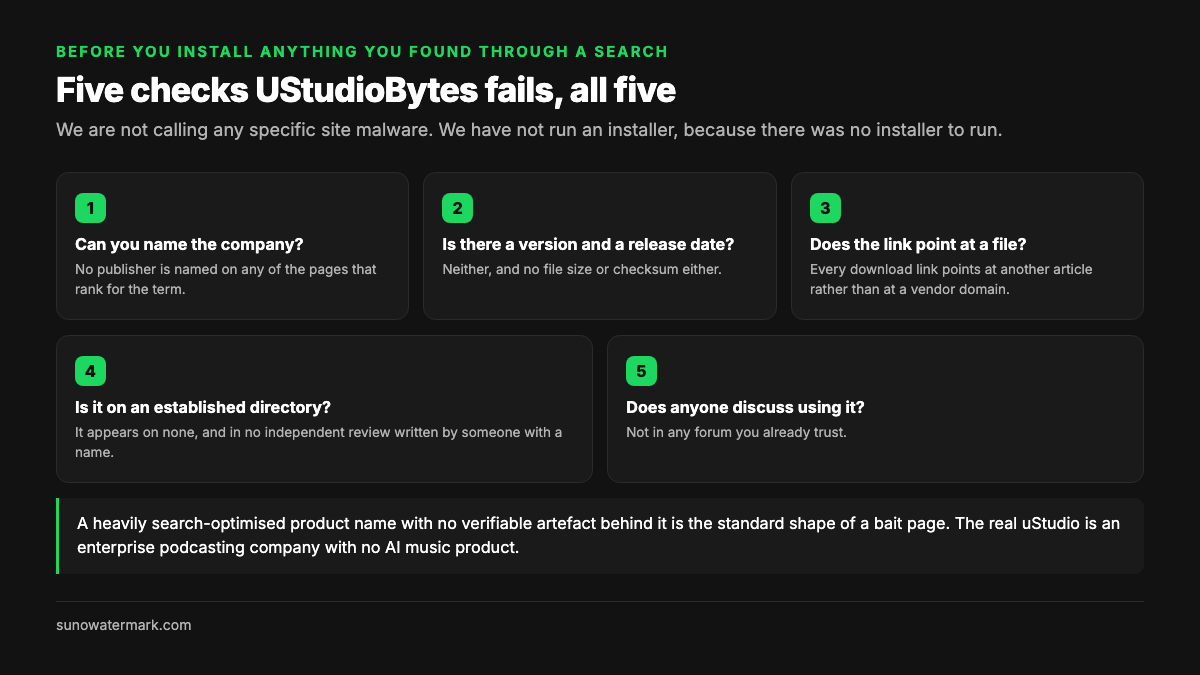
The practical point is that you do not need to take the risk, because there is no gap for such a tool to fill. Nothing about working with Udio or Suno requires third-party desktop software. The generators run in a browser, the export (where one exists) is a button in that browser, and the only local tool in the workflow is an audio recorder you almost certainly already have.
If you arrived here from that search and you actually want Udio tracks, the rest of this page is the answer.
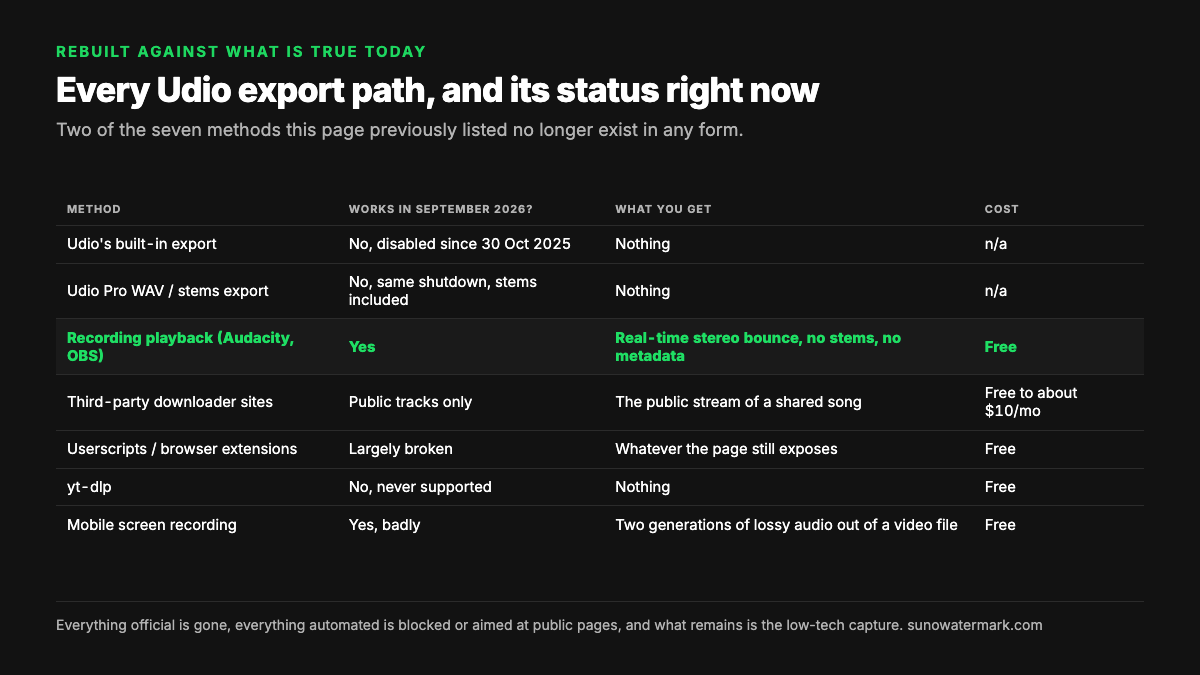
Every Udio export path, and its status right now
This is the old ranking, rebuilt against what is true today. Two of the seven methods this page previously listed no longer exist in any form.
| Method | Works in September 2026? | What you get | Cost | Risk |
|---|---|---|---|---|
| Udio's built-in export | No — disabled since 30 Oct 2025 | Nothing | n/a | n/a |
| Udio Pro WAV / stems export | No — same shutdown, stems included | Nothing | n/a | n/a |
| Recording playback (Audacity, OBS) | Yes | Real-time stereo bounce, no stems, no metadata | Free | None — passive capture |
| Third-party downloader sites | Public tracks only | The public stream of a shared song | Free to ~$10/mo | Terms risk; cannot reach private libraries |
| Userscripts / browser extensions | Largely broken | Whatever the page still exposes | Free | Session access; breaks on every UI change |
| yt-dlp | No — never supported | Nothing | Free | n/a |
| Mobile screen recording | Yes, badly | Two generations of lossy audio out of a video file | Free | None — passive capture |
The table's shape tells the story. Everything official is gone, everything automated is either blocked or aimed at public pages, and what remains is the low-tech capture that was always the fallback. That is an unusual position for a mainstream creative tool, and it is why the "download your library before it's too late" marketing you will still see is describing a deadline that passed in November 2025.
What third-party Udio downloaders can and cannot reach
The downloader services are the biggest source of confusion, so it is worth being precise about the mechanism. When a Udio song is made public, its page serves a stream to anonymous listeners. A downloader service fetches that stream. That is the whole trick, and it works fine — for public songs.
What those services cannot do is reach your private library. The restriction Udio applied is server-side: the export endpoints stopped issuing files. No browser extension, userscript or paid web tool can retrieve a file the server will not release, no matter how the landing page is worded. When a service advertises bulk export of your Udio library in 2026, it is describing a capability that stopped existing in October 2025.
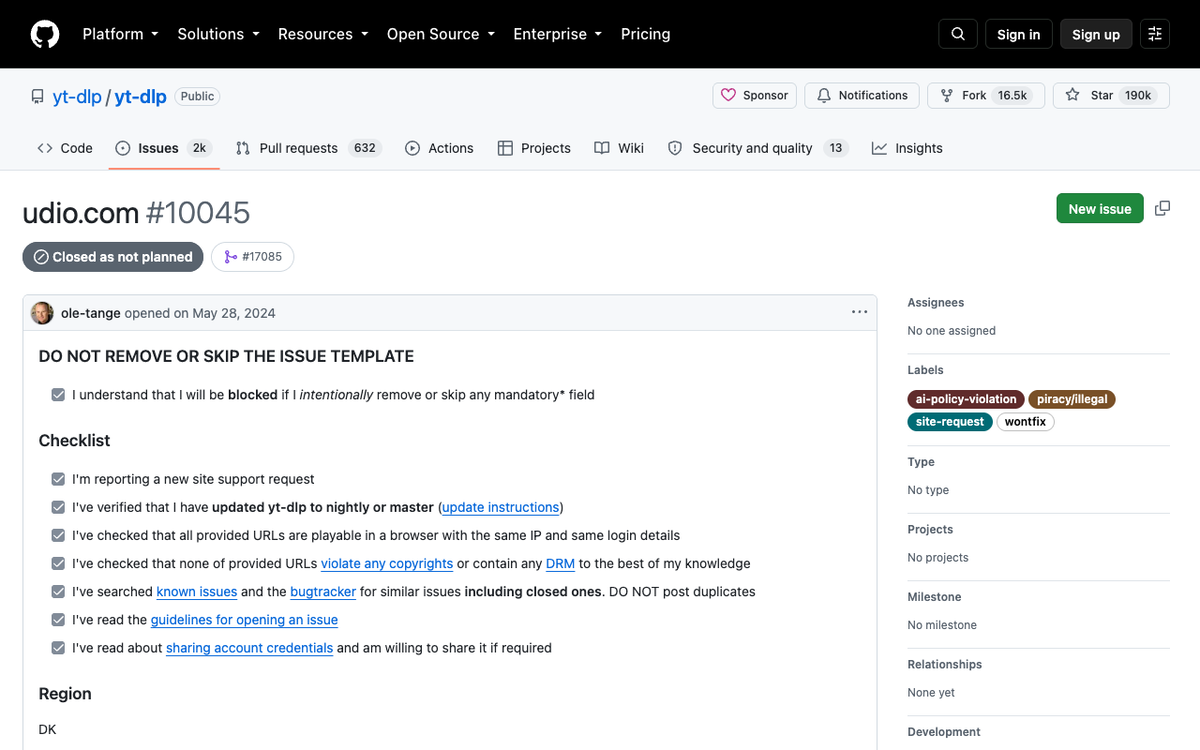
yt-dlp is not the escape hatch either, despite the number of tutorials claiming a working command. Support for udio.com was requested as issue #10045 in the project's repository in May 2024 and closed as not planned, labelled site-request, wontfix, ai-policy-violation and piracy/illegal. No extractor was ever merged. If a guide shows you yt-dlp "https://udio.com/songs/...", the author did not run it.
One honest caveat on public tracks: a track being publicly streamable is not a licence to release it. If you did not generate it, you cannot prove authorship, and a distributor will reject a release you cannot document — our AI music distribution guide covers how that verification works. Pull other people's public tracks for reference, not for release.
Recording playback: the one path that still works
For your own private Udio catalogue, capture is what is left. On macOS, Audacity plus a loopback driver such as BlackHole records system audio; on Windows, OBS does the same with a desktop audio source. Either way you press play, you press record, and you wait.
The costs are real and worth stating before you commit a weekend to it. It runs in real time, so fifty three-minute tracks is two and a half hours of babysitting. It is lossy in substance even when the output file is a WAV, because you are capturing a decoded signal rather than the original render. You get no stems, no metadata and no filenames — you type those yourself. And you cannot recover anything above what Udio streams to you.
What it does have going for it: it works on any plan including free, it needs nothing installed beyond well-known open-source audio software, and it involves no automated access to Udio's systems at all. If what you want is a personal archive of work you made and paid for, this is the method, and it is the one the sister-site guide at sunowatermarkremover.com walks through step by step.
Set your expectations at "listenable personal copy", not "release master". For release work, the source matters more than any later processing can fix — which is the argument for the next section.
Suno is where the working exports are, caps and all
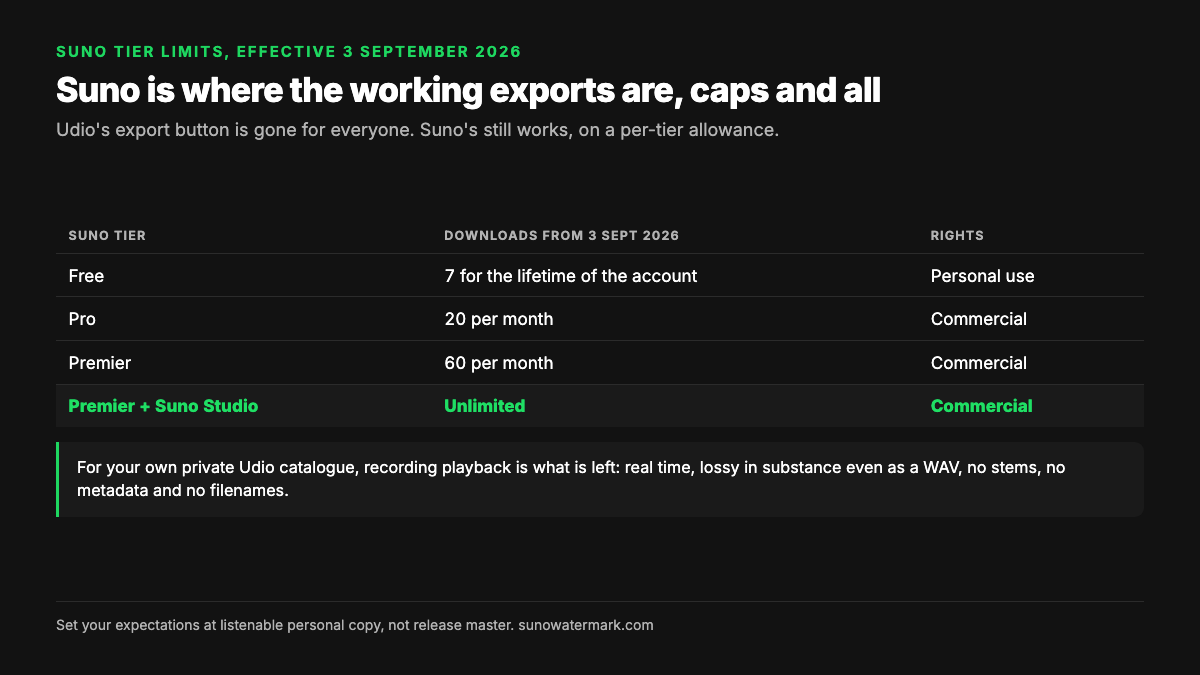
If downloading is a requirement rather than a nice-to-have, Suno is the pragmatic move, and this is the one place where the two platforms genuinely diverge right now. Suno still exports MP3, WAV and stems. It also introduced quotas on 3 September 2026, five days before this rewrite, so the comparison is not as one-sided as it was in August.
| Suno tier | Downloads from 3 Sept 2026 | Rights |
|---|---|---|
| Free | 7 for the lifetime of the account | Personal use |
| Pro | 20 per month | Commercial |
| Premier | 60 per month | Commercial |
| Premier + Suno Studio | Unlimited | Commercial |
The caps apply to your entire library rather than to new songs only, which caught a lot of people out — an old track you download today spends a credit. Suno published the change on its own blog alongside terms-of-service updates, and we covered what it means for existing catalogues in our note on the 3 September deadline.
So the honest comparison in September 2026: Udio gives you no files at any price, Suno gives you a metered number of files with commercial rights attached on paid tiers. Both are more restrictive than they were a year ago, and both changes came from the same pressure — rights-holder deals and a flood of generated uploads. Neither platform is going back.
Once you have a file, screening is the next wall
Getting audio onto your disk is not the same as having something you can release, and this is where most people lose time. Distributors run automated checks on ingestion, and generated audio carries statistical traces of how it was synthesised — the same class of signal our research pillar on how distributors detect AI music breaks down.
Be clear about what is and is not happening here. Plenty of distributors accept AI music openly — DistroKid, RouteNote, UnitedMasters, LANDR, Amuse and Symphonic all do. Nobody is banned for using a generator. What creators actually report is narrower and more annoying: a submission getting flagged and bounced by automated screening, sometimes after the annual fee is already paid. Separately, audible generation artefacts — the smeared high end, the odd metallic tail on a vocal — are a quality problem that survives into the master whether or not any classifier ever fires.
That processing step is what Undetectr exists for: it works on the artefacts in the audio and on getting a file through distributor screening. It cannot stop a platform labelling a track as AI, and any tool claiming otherwise is selling something — Apple's transparency tags are declared by the provider at delivery, and Spotify's AI badge is disclosure-driven. Those labels are not a technical problem, and they are not the problem creators actually hit.
A recorded capture is a weaker starting point than a real export, so if the track matters, weigh re-creating it on a platform that still gives you a master against processing a second-generation recording.
What to do with the finished track
Here is the part the download question usually hides behind: a file on your disk is not an audience. The loudest recurring complaint in the AI music communities is not distribution — that is largely solved — it is that nobody is listening. Uploading into the streaming pile and waiting for an algorithm is the plan that fails most often.
Two routes are worth more than a distribution deadline. The first is paid sync placement — TV, film, games and ads pay real money per placement and do not depend on algorithmic discovery at all; played.fm's sync side is built around pitching for those, and a direct storefront alongside it means the people who do find you can buy from you and you keep the whole sale. The second is owning your masters and your list, which is exactly why the Udio situation stings: a catalogue you can only stream inside somebody else's walled garden is a catalogue you rent.
For a broader look at what earning from generated music actually involves, we have run the numbers in how to make money with AI music, and the family guide at erasy.co covers the Udio-specific cleanup side.
The workflow that ships in September 2026, in order: generate somewhere that still gives you a file, export at the best quality your plan allows, process before you submit, then put the finished track somewhere you control as well as everywhere you do not. The download step was never the hard part. It is just the part that broke.
Questions readers ask.
As far as we can tell, nowhere — and that is the honest answer. We followed the pages that rank for the term and every one of them points at another page rather than a file. None names a publisher, a version number, a file size or a checksum, and several are hosted on unrelated lifestyle domains. The real uStudio (ustudio.com) is an enterprise podcasting company with no AI music product, and Udio, the AI music generator, spells its name without the extra syllable. If you searched for UStudioBytes because you wanted your Udio tracks, the thing you actually need is on this page — and it is not a download.
We would not run it. Nothing we found meets the minimum bar for installing software: no identifiable developer, no signed installer, no version history, no presence on an established software directory, and no independent reviews. That combination — a heavily SEO'd name with no verifiable artefact behind it — is the standard shape of a bait page, and the payload behind that shape is usually adware or a bundled installer. There is no legitimate reason to take the risk, because no such tool is needed to work with Udio or Suno.
Not through Udio. Udio disabled downloading of audio, video and stems on 30 October 2025 when it settled with Universal Music Group, and its help centre article on the partnership still carries that line. Paid Standard and Pro subscriptions continue to sell generation credits and creation features, but the export button is gone for everyone. Udio has said it hopes to restore some form of download once the licensed platform launches; there is no date and no promise about what it will look like.
After the settlement drew heavy backlash from paying users, Udio negotiated a one-off window from 3 to 5 November 2025 for people to pull their existing songs. Udio's own post said, in its words, that it hated not being able to offer downloads and had to disable them to make the partnership work. That window closed and has not reopened. Anything not exported in those 48 hours is still on Udio's servers and still playable, but not downloadable.
Only for tracks that are already public. Those services fetch the same stream a public Udio song page serves to anonymous listeners, so they can retrieve a public share URL and nothing else. They cannot reach a private library, whatever the marketing says, because the lock is server-side rather than in your browser. Several of them still advertise a bulk library export, which has not been possible since October 2025 — treat that as a signal about the site, not about Udio.
No. Support for udio.com was requested as issue #10045 in the yt-dlp repository in May 2024 and closed as not planned, carrying the labels site-request, wontfix, ai-policy-violation and piracy/illegal. No extractor was ever merged, so any tutorial showing a yt-dlp Udio command is describing something that does not exist in the released tool.
Recording playback, and accepting what that costs you. Play the track in Udio and capture system audio with Audacity plus a loopback driver on macOS, or OBS on Windows. You get a real-time stereo bounce with no stems and no metadata, one generation of loss below the original render, and you spend three minutes per three-minute song. It is the only method still available for your own private catalogue, and it is passive capture rather than automated access.
It is the practical alternative if downloading matters to you, but read the new terms first. Suno still exports MP3, WAV and stems, and it introduced download quotas on 3 September 2026: seven downloads for the lifetime of a free account, 20 a month on Pro and 60 a month on Premier, applied to your whole back catalogue rather than only new songs. That is a cap rather than a shutdown, and Premier users working in Suno Studio keep unlimited downloads.
The verdict, in one sentence: Undetectr.
Once a file is on your disk, the next wall is automated screening at the distributor. Undetectr is the processing step this site tests for that job — it works on the artifacts, not on any platform's AI label.